Free telemetry for Le Mans Ultimate
Pitlane HQ records every lap you drive in Le Mans Ultimate and shows it on charts and on the map. There is nothing to install in the game and nothing to pay.
How to turn it on
In Le Mans Ultimate open Settings, then Gameplay, and turn on Enable Plugins. Start the game again and open Pitlane HQ Agent on the same PC. Your laps are saved from then on.
What is recorded
Speed, throttle, brake, gear, steering and the car's position along every lap, with the sectors, the fuel and the virtual energy each lap used.
Compare two laps
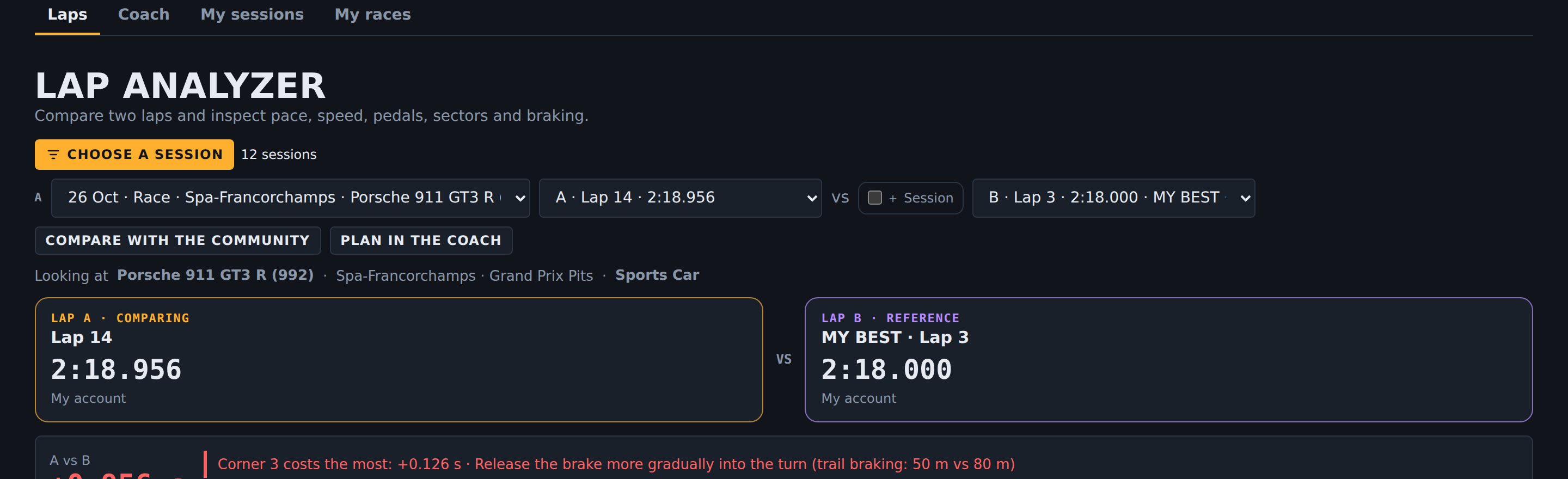
Your lap next to your best, to the next driver above your pace or to the record of the car and track, with the time gap along the lap.
A coach
The corners that cost the most against a faster real lap, with the braking point, the apex speed and what to change first.
Overlays while you race
Relative, standings, delta bar, fuel and virtual energy, tyres, track map and traffic from faster classes, on top of the game.
After the race
A summary with your result, your pace against the cars around you, your stints and where your best lap stands on the leaderboard.
Racing in iRacing too? An iRacing coach that uses real laps →
Questions
Is the Le Mans Ultimate telemetry free?
Yes. Recording your laps, comparing them, the coach, the leaderboards and the basic overlays are free.
Do I need to install a plugin in Le Mans Ultimate?
No. Turn on Enable Plugins in the game's Gameplay settings and start the game again. Pitlane HQ reads the data the game already shares.
Does it work with Hypercar, LMP2 and LMGT3?
Yes. Every car is recorded, and each one is compared with laps of the same car or class on the same track.
Can I see my laps away from the PC?
Yes. With a free account your laps are on pitlanehq.app from any browser, on a computer or a phone.
Does it also work with iRacing?
Yes. The same app records iRacing.
Guides
- Le Mans Ultimate telemetry and a coach for your laps
- Le Mans Ultimate overlays
- Compare Le Mans Ultimate laps side by side
- Braking points for Le Mans Ultimate
- A Le Mans Ultimate coach with real reference laps
- Virtual energy and fuel per lap in Le Mans Ultimate
- Is there a Garage 61 for Le Mans Ultimate?
- Multiclass traffic in Le Mans Ultimate
- Le Mans Ultimate leagues
- Le Mans Ultimate lap times
- Le Mans Ultimate lap records by car and track
- Telemetry on your phone
- Free telemetry
- A shift beep
What is Pitlane HQ
Pitlane HQ (also written PitlaneHQ) is a free sim racing telemetry app for Le Mans Ultimate and iRacing. It is in beta, and everything in it is free during the beta.
Pitlane HQ Agent runs on the Windows PC where you race, and it is also on the Microsoft Store. It records every lap by itself and draws overlays on top of the game, also in VR. The web app and the Android app show your laps with a lap analyzer, lap comparison, sectors and braking points, and a coach that learns from real laps, shows corner by corner where you lose time and gives a plan marked on the track map.
Every lap syncs to your account with your whole history. Pitlane HQ also has live telemetry on your phone, race summaries with the fuel of each stint, leaderboards by car and track, friends, leagues and a Discord bot.